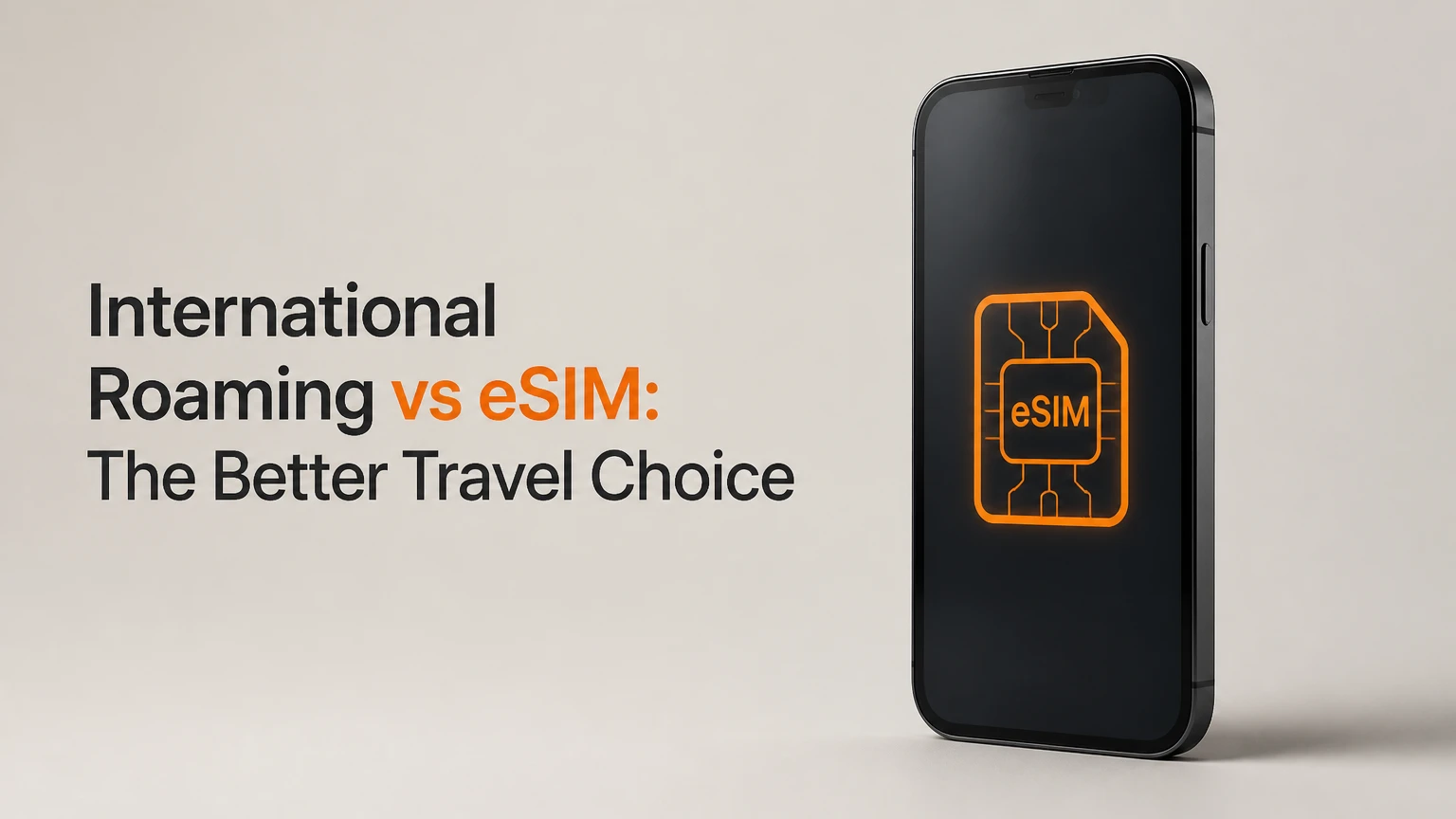
International roaming is your domestic carrier’s overseas connectivity service, while an eSIM is a downloadable SIM profile that usually provides a separate local or regional data plan. Roaming prioritizes convenience and your existing number; a travel eSIM usually reduces data costs, but may require a network-unlocked phone and separate call or text arrangements.
Key Facts / Quick Answer
Typical roaming passes cost $5-$15 per day, while travel eSIM plans commonly cost $5-$20 per week.
A travel eSIM is usually best for data, maps, messaging, and hotspot use; many plans do not include a phone number.
A dual-SIM setup keeps your home line available for incoming SMS while the travel profile supplies mobile data.
Turning off cellular data roaming on the home line prevents accidental background-data charges.
A phone must support eSIM and be network-unlocked. An active carrier contract does not always mean the phone is unlocked.
Roaming is often the safer choice for a short trip, a work number, rural coverage, or standard voice calling.
What Are International Roaming and Travel eSIMs?
International roaming lets a mobile subscriber use a home carrier account on a partner network abroad. The foreign tower provides radio access, but the home carrier generally authenticates the subscriber and bills the account under its international terms.
A travel eSIM is a programmable SIM profile installed in a compatible device. The profile may connect to one destination carrier, several regional networks, or a global provider, and the plan is normally prepaid rather than added to the home account.


The important distinction is commercial, not merely physical. Roaming extends an existing subscription across borders. An eSIM changes which subscription supplies service.
Apple describes eSIM technology as “a digital SIM,” while the GSMA’s eSIM specifications define the remote provisioning framework that allows profiles to be downloaded and managed without replacing plastic hardware. The eSIM itself does not guarantee a low price or superior coverage. The plan determines those outcomes.
How Does Each Connection Reach the Internet?
With roaming, the visited network and home carrier exchange authentication and billing information. Some roaming data sessions use a home-routed gateway, which can increase latency because traffic travels through the home operator before reaching an internet destination. Other arrangements use local breakout.
A travel eSIM can also use roaming agreements. “Local eSIM” does not necessarily mean the provider owns towers in the destination. The useful question is whether the plan offers local breakout, which destination networks it can use, and whether the provider restricts video, tethering, or high-speed access.
| Attribute | Home-carrier roaming | Travel eSIM | Practical consequence |
|---|---|---|---|
| Account relationship | Existing domestic account | Separate prepaid provider | Two invoices versus one |
| Network access | Partner network abroad | Listed local or partner networks | Coverage depends on agreements |
| Data route | Home-routed or local breakout | Usually local breakout, plan-dependent | Latency can differ by provider |
| Phone number | Domestic number retained | Usually data-only | Calls may require an app |
| Billing method | Pass, add-on, or usage charge | Prepaid package | Overages are less likely |
| Installation | Carrier activation or automatic setup | QR code or provider app | Wi-Fi may be needed first |
Which Types Are Available?
Roaming comes in three common forms, and travel eSIMs come in three geographic forms. The names are similar across providers, but allowances and network access vary substantially by country.
International Roaming Types
- Pay-as-you-go roaming: Charges data by megabyte, calls by minute, and texts individually. This is the highest-risk option for smartphones.
- Daily roaming pass: Applies a fixed charge for a local calendar day or a rolling 24-hour period, often with the domestic plan’s data allowance.
- Monthly international add-on: Adds a destination or global allowance for a billing cycle, which can suit longer assignments.
Travel eSIM Types
- Local eSIM: Covers one country and often offers the clearest network information and lowest data price.
- Regional eSIM: Covers multiple countries, such as France, Italy, Spain, and Germany, without requiring a new profile at each border.
- Global eSIM: Covers a large country list, commonly with smaller allowances or slower speeds in some locations.
| Plan type | Typical price in USD | Validity | Coverage pattern | Best use |
|---|---|---|---|---|
| Pay-as-you-go roaming | $1-$15 per MB or minute | Per event | One visited network | Emergency use only |
| Daily roaming pass | $5-$15 per day | Calendar day or 24 hours | Destination-dependent | Trips of 1-3 days |
| Local travel eSIM | $5-$20 | 7-30 days | One country | Heavy use in one destination |
| Regional travel eSIM | $10-$40 | 15-30 days | 5-40 countries | Multi-country itineraries |
| Global travel eSIM | $20-$100 | 30-180 days | 50-130 countries | Frequent international travel |
A regional profile can be more convenient than a sequence of local profiles, but the lowest advertised price is not always the lowest effective price. Check whether the plan counts validity from purchase, installation, or first network connection.
How Much Does Each Option Cost?
For a traveler using approximately 5-10 GB, a prepaid eSIM is commonly less expensive than a daily roaming pass. A 10-day roaming pass at $10 per day costs $100 before taxes or speed restrictions, while a comparable regional data plan may cost $15-$40.
These figures are typical market ranges, not universal prices. Verizon, AT&T, T-Mobile, Vodafone, EE, Telstra, and other carriers set different roaming prices, and destination eSIM providers change packages frequently.
| Trip profile | Roaming example | eSIM example | Typical difference | Cost winner |
|---|---|---|---|---|
| 2 days, light data | $10-$30 | $5-$10 | $5-$20 | eSIM or tie |
| 7 days, 5 GB | $35-$105 | $10-$25 | $25-$95 | eSIM |
| 10 days, 10 GB | $50-$150 | $15-$40 | $35-$135 | eSIM |
| 30 days, 20 GB | $50-$150 monthly add-on | $20-$60 | $30-$130 | Usually eSIM |
| One emergency megabyte | $1-$15 per MB | Not applicable | Plan-dependent | Roaming convenience |
How Do You Calculate the Break-Even Point?
Divide the eSIM price by the roaming day-pass price to find the approximate break-even number of days. A $20 eSIM compared with a $10 daily pass breaks even after two roaming days, before taxes and any eSIM top-up cost.
For example, a three-day city trip with a $5 roaming pass costs $15, so roaming may be simpler. A ten-day trip at the same rate costs $50, making a $15-$25 eSIM more economical unless the roaming plan includes unusually generous benefits.
Background activity changes the calculation. Cloud photo uploads, operating-system updates, video calls, and social-media autoplay can consume several gigabytes, so an apparently cheap pay-as-you-go option can become expensive within hours.
International Roaming vs eSIM: Which Performs Better?
A travel eSIM usually wins on prepaid data cost and can reduce latency when its profile uses local breakout. International roaming usually wins on number continuity, carrier support, and immediate voice and SMS access.
Neither option guarantees faster service. A congested destination tower, weak indoor signal, local network priority, or an eSIM provider’s traffic policy can matter more than the SIM type.
| Decision factor | International roaming | Travel eSIM | Better choice |
|---|---|---|---|
| Upfront setup | Carrier app or automatic activation | QR code or app installation | Roaming |
| Typical 10-day data cost | $50-$150 | $15-$40 | eSIM |
| Existing number | Fully retained | Home line must remain active separately | Roaming |
| Standard voice calls | Usually included in pass | Often excluded | Roaming |
| Messaging apps | Works with roaming data | Works with eSIM data | Tie |
| Local latency | Home-routed or local | Usually local breakout | Often eSIM |
| Hotspot access | Carrier-policy dependent | Provider-policy dependent | Check terms |
| Overage exposure | High without a pass | Low on prepaid plans | eSIM |
| Customer support | Known domestic carrier | Provider chat or email | Roaming |
| Multi-country travel | Add-on may vary by country | Regional profile can cover borders | eSIM |
Is a Travel eSIM Faster Than Roaming?
A travel eSIM can feel faster when it attaches directly to a destination network and avoids home-carrier routing. The radio connection still uses the same local towers, however, and an eSIM provider may impose speed caps, deprioritization, or a fair-use threshold.
The correct comparison is the plan’s network and routing policy, not the word “eSIM.” Ask whether it supports 4G LTE or 5G, permits tethering, and lists the actual destination operators.
When Should You Choose Each Option?
Choose roaming when continuity has greater value than price. Choose an eSIM when data volume, multi-country travel, or predictable prepaid spending matters more than native calling.
| Traveler situation | Recommended setup | Reason | Main check |
|---|---|---|---|
| Weekend trip, $5 daily pass | Roaming | Low setup effort | Pass activation window |
| Ten-day sightseeing trip | Travel eSIM plus home line | Lower data cost | Network unlock |
| Remote work with business calls | Roaming or dual-SIM | Number and voicemail continuity | Call allowance |
| Several European countries | Regional eSIM | One profile across borders | Country list |
| Rural destination | Roaming from a major carrier | Broader partner support may help | Partner network |
| Family with three devices | Multi-device eSIM or hotspot | One plan may support tethering | Device limit |
| Banking SMS required | Dual-SIM | Home number stays available | Data roaming disabled |
| Unlimited video use | Carrier pass or large eSIM | Fair-use terms determine value | Throttle threshold |
Expert insight: The cheapest data plan is not necessarily the cheapest travel solution. If missing one bank verification message causes a locked account, preserving the home line has a higher practical value than saving $20.
How Do You Set Up a Dual-SIM Travel Configuration?
A dual-SIM configuration keeps the domestic SIM or eSIM active for its number while assigning mobile data to the travel profile. This arrangement is usually the best compromise for travelers who need authentication texts but want to avoid home-carrier data charges.
- Confirm compatibility. Check that the phone supports eSIM, is unlocked, and supports the destination’s network bands.
- Buy the plan. Verify countries, validity start, data quantity, 4G or 5G access, hotspot rules, and refund conditions.
- Install on reliable Wi-Fi. Use the provider’s QR code or app before departure, but do not delete the profile if activation is scheduled for arrival.
- Label the lines. Name them “Home” and “Travel” so the selected voice, SMS, and data lines are visible.
- Select Travel for cellular data. Disable automatic data switching if the phone offers that option.
- Turn off data roaming on Home. Keep the home line active for SMS, but prevent it from supplying data abroad.
- Test after landing. Disable airplane mode, wait several minutes, and confirm that the travel line displays a destination network.
- Monitor usage. Use the phone’s cellular settings and the eSIM provider’s dashboard to identify remaining data.
On iPhone, the relevant controls are under Settings, Cellular. On Android, menu names vary by manufacturer, but the controls generally appear under Settings, Network and internet or Connections, SIM manager.
Incoming SMS may work without mobile data, but carrier policies differ. Voice calls to the home number can trigger roaming charges even when data roaming is off, so use Wi-Fi calling or messaging apps only after verifying the carrier’s terms.
Expert insight: Installing a profile and activating a plan are separate events. Some plans begin validity when installed, while others begin when the profile first registers on a supported destination network. The provider’s activation wording controls the outcome.
What Device and Network Checks Prevent Failure?
A compatible phone must satisfy both hardware and commercial requirements. An iPhone XS or newer, Google Pixel 3 or newer, and many Samsung Galaxy S20-series phones support eSIM, but regional variants and carrier policies can differ.
| Check | Where to verify | Pass condition | Failure consequence |
|---|---|---|---|
| eSIM support | Phone specifications or SIM settings | “Add eSIM” appears | Profile cannot install |
| Network unlock | Carrier account or settings | No carrier restriction | Travel profile cannot register |
| Destination bands | Provider coverage page | LTE or 5G bands overlap | Weak or absent service |
| Plan validity | Purchase confirmation | Correct start and expiry dates | Data may expire early |
| Hotspot policy | Terms and conditions | Tethering permitted | Laptop connection blocked |
| APN requirement | Provider installation guide | Automatic or documented APN | Data remains offline |
In the United States, the Federal Communications Commission advises consumers to understand international roaming rates before travel and to disable data roaming when they do not intend to use it. The FCC’s practical warning matters because background applications can create chargeable traffic without an intentional browsing session.
Carrier unlocking is separate from eSIM support. A phone can contain eSIM hardware and still reject another provider’s profile because the original carrier has applied a network lock.
What Happens to Calls, Texts, 2FA, and Messaging Apps?
Most travel eSIMs are data-only. They do not provide a standard telephone number, so they cannot independently receive ordinary SMS, carrier short codes, or traditional voice calls.
WhatsApp, Signal, FaceTime, Google Meet, and similar services work over the travel data connection. WhatsApp normally keeps the account associated with the original number unless the user deliberately changes the number inside the app.
| Need | Data-only eSIM result | Roaming result | Recommended action |
|---|---|---|---|
| Bank SMS code | Home line required | Usually available | Keep Home active |
| WhatsApp chat | Available | Available | Use Travel data |
| Ordinary outgoing call | App required | Usually available | Confirm minute rates |
| Incoming home call | May incur roaming fee | Usually available | Use voicemail or Wi-Fi calling |
| iMessage on original number | May continue | Continues | Avoid deregistering Home |
| Local restaurant call | App or local number needed | Home number may work | Use internet calling |
| Emergency call | Device and local rules apply | Device and local rules apply | Do not rely on data-only service |
Short codes are a common exception. Some banks and authentication services reject international delivery, require the original SIM to register, or send codes only to a domestic number. Test the bank’s login and recovery process before departure.
Expert insight: Turning off the home line entirely protects against roaming charges but can break number-based authentication, iMessage registration, voicemail access, and recovery workflows. “Home line active, home data disabled” is usually safer than “Home line removed.”
What Are the Main Alternatives?
A physical local SIM can match or beat an eSIM on price, but the traveler must visit a retailer, provide identification where required, and store the removed SIM safely. Pocket Wi-Fi can support several devices, although the rental unit requires charging and may involve delivery, deposits, or return deadlines.
| Alternative | Typical cost | Setup time | Device capacity | Main limitation |
|---|---|---|---|---|
| Physical local SIM | $5-$30 | 15-45 minutes | One phone | SIM swap and retail visit |
| Pocket Wi-Fi rental | $5-$15 per day | 10-30 minutes | 5-10 devices | Charging and return logistics |
| Hotel or café Wi-Fi | $0-$10 per day | 1-5 minutes | 1-4 devices | Unreliable mobility and security |
| Carrier roaming pass | $5-$15 per day | 1-10 minutes | Phone plus hotspot if allowed | High cost on long trips |
| Travel eSIM | $5-$60 per plan | 5-15 minutes | One phone, hotspot if allowed | Device and policy compatibility |
Public Wi-Fi is useful for installing an eSIM, downloading maps, and making large backups. It is a poor sole connection for navigation, transport changes, two-factor authentication, or remote work outside the hotel.
What Mistakes Cause Unexpected Charges or Lost Service?
Most travel connectivity failures come from incorrect line settings or assumptions about plan terms. The following safeguards address the most expensive and hardest-to-reverse errors.
- Disable Data Roaming on the home line, not merely cellular data for one application.
- Disable automatic cellular data switching, which can move traffic back to the home line when the travel signal weakens.
- Do not delete an eSIM profile during troubleshooting unless the provider confirms that it can be reissued.
- Save the QR code, activation code, support URL, and plan number offline.
- Check whether the plan’s “unlimited” allowance is reduced after a daily fair-use threshold.
- Confirm that the destination list includes every border crossing and airport stop.
- Avoid installing a profile on a carrier-locked phone.
- Record the home line’s voicemail and call-forwarding behavior before departure.
- Download offline maps and transport details before changing SIM settings.
- Check the phone’s preferred data line after every operating-system update or SIM change.
If the travel eSIM shows signal but no data, toggle airplane mode, confirm the travel line is enabled, verify the APN, and restart the phone. If the phone displays “SIM not supported,” investigate carrier locking before changing network settings.
What Is the Best Decision for Your Trip?
Use roaming for a one-to-three-day trip when the carrier’s pass costs no more than about $5 per day, or when the existing number must handle calls without configuration. Use a local or regional eSIM for trips longer than three days, data-heavy use, or itineraries crossing several countries.
A simple ranking works in practice:
- Best value for mobile data: Local travel eSIM.
- Best multi-country balance: Regional travel eSIM.
- Best number continuity: International roaming.
- Best for several connected devices: Pocket Wi-Fi or an eSIM with permitted hotspot use.
- Best rural-coverage safety net: Home-carrier roaming, if its partner network is stronger.
The exception is a destination where the eSIM provider uses a weak partner network but the home carrier has a strong agreement with the leading local operator. Coverage maps and partner names matter more than the technology label.
Frequently Asked Questions About international roaming vs eSIM
Can I use an eSIM without turning off international roaming?
Yes, but the home line’s data roaming must be disabled if the travel eSIM supplies mobile data. Keep the home line active for SMS only, disable automatic data switching, and confirm that the phone identifies the travel profile as the default cellular-data line.
Will I have a local phone number with a travel eSIM?
Usually not. Many travel eSIMs provide data only, so ordinary calls and SMS require the home line, a local-number plan, or an internet calling application. Read the plan description for “voice,” “SMS,” and “phone number,” rather than assuming every eSIM includes them.
Can I receive bank verification texts abroad?
Often, yes, if the home SIM remains enabled and the home carrier permits international SMS delivery. Incoming messages may be included or free, but some banks use short codes that behave differently overseas. Test account recovery and save backup authentication codes before leaving.
Does an eSIM work on a locked phone?
A carrier-locked phone may reject a travel eSIM even when the hardware supports eSIM profiles. Check the device’s SIM-lock status with the original carrier, request an unlock when eligible, and complete the process before purchasing a nonrefundable plan.
Can I share a travel eSIM connection with a laptop?
Sometimes. Hotspot support depends on the eSIM provider, destination network, phone model, and plan terms. A plan that allows phone data may still block tethering or reduce hotspot speed, so verify the word “tethering” or “personal hotspot” in the conditions.
Which option is safer for a 10-day trip?
A dual-SIM setup with a prepaid travel eSIM for data and the home line retained for SMS is usually the strongest balance for a 10-day trip. Roaming remains sensible when standard voice calls, carrier support, or rural partner coverage outweighs the typical $30-$130 savings.
Conclusion
International roaming vs eSIM is primarily a choice between continuity and controlled data spending. Roaming preserves your home number with minimal setup, while a travel eSIM commonly lowers the cost of a multi-day data plan and can provide local network access.
For most travelers, the practical answer is dual-SIM: keep the home line active for authentication, turn off its data roaming, and assign mobile data to a compatible local or regional eSIM. Verify the phone unlock status, coverage partner, validity trigger, voice options, and hotspot rules before departure.