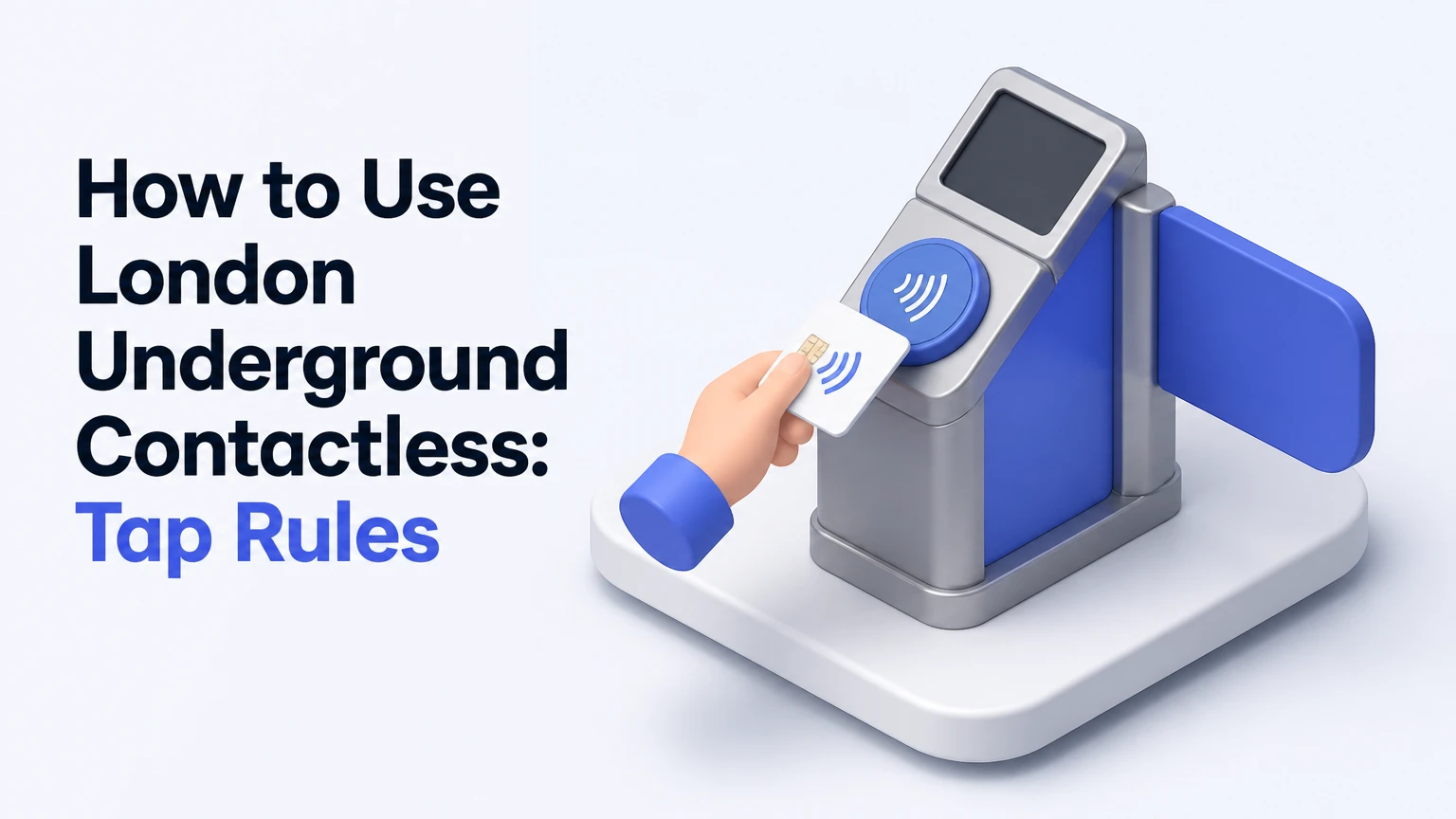
London Underground contactless is a pay-as-you-go payment system that lets you use an eligible bank card or smart device instead of buying a ticket. Tap the same payment method on the yellow reader at the start and end of rail journeys, while buses and trams require only a boarding tap. Transport for London, or TfL, calculates the fare and applies daily and weekly caps automatically.
Key Facts / Quick Answer
Use one physical card or one device consistently for every journey.
Touch in and touch out on the Underground, DLR, Elizabeth line, and most London rail services.
Touch in only on buses and trams.
Keep cards separate from phones, watches, Oyster cards, and other NFC devices to prevent card clash.
The contactless daily cap runs from 04:30 until 04:29 the next morning.
Weekly contactless capping runs from Monday through Sunday, not from your arrival day.
What Contactless PAYG Means
Contactless PAYG means TfL records each journey through taps on yellow readers, then charges the payment account associated with the card or device. You do not select a fare at the station, and you normally do not need to buy or load credit before travelling.
Near Field Communication, or NFC, transfers a short-range payment token between your card or device and the reader. TfL uses the sequence of taps, the stations or stops involved, the transport mode, and the applicable time band to calculate the fare.


TfL describes the core rule in its customer guidance as: “Touch in and out using the same card or device.” That identity rule matters more than the bank account behind the card. A physical card, iPhone, Apple Watch, and Android phone can represent separate payment tokens even when they draw money from one account.
Contactless does not create a reservation or guarantee a seat. It is a fare collection method. You still need a valid travel route, must follow platform restrictions, and may need to show a payment method during an inspection.
How to Tap on Each Transport Mode
The correct tapping pattern depends on the vehicle or railway service. London Underground, DLR, Elizabeth line, and most participating rail journeys require entry and exit taps, while buses and trams require only an entry tap.
| Transport mode | Starting action | Ending action | Typical reader location |
|---|---|---|---|
| Underground | Touch in | Touch out | Station gate line |
| DLR | Touch in | Touch out | Gate or yellow platform reader |
| Elizabeth line | Touch in | Touch out | Station gates or standalone reader |
| Bus or tram | Touch in once | No touch out | Front bus reader or tram stop reader |
| London Overground | Touch in | Touch out | Gates or platform reader |
| River services | Check operator rules | Check operator rules | Pier reader or ticket point |
- Prepare one payment method before reaching the gate. Remove the intended card from a crowded wallet if other contactless cards are nearby.
- Find the yellow reader. Place the card or device flat against it until the reader responds.
- Wait for confirmation. A green light, audible beep, or gate opening indicates that the reader registered the tap.
- Follow the journey mode rule. Rail journeys need an exit tap; buses and trams do not.
- Use the identical token at the destination. A phone is not interchangeable with the physical card stored inside that phone.
- Check the journey later. TfL’s contactless online service shows completed journeys, fares, incomplete journeys, and some unresolved payments.
A standalone reader can be easy to miss at an ungated station. Look for yellow readers on platforms, near footbridges, or beside station exits. This is especially important on parts of the DLR, London Overground, Elizabeth line, and National Rail network.
When a Station Has No Barriers
An ungated station still may require a contactless touch. A free-standing yellow reader records the start or end of a rail journey even when no gate is present.
Do not assume that walking directly to the platform means the system has recorded your entry. If a route includes an interchange, tap only where TfL or the station signage instructs you. Tapping unnecessarily during a through journey can create a second journey or an incorrect fare.
Which Cards and Devices Work?
Compatible Visa, Mastercard, and American Express contactless cards generally work on TfL services when the issuing bank permits transport transactions. Apple Pay, Google Pay, and Samsung Pay can also work through a phone or wearable, but the device token must remain consistent from entry to exit.
- Contactless credit cards
- Contactless debit cards
- Some prepaid and travel cards
- iPhone and Apple Pay
- Android phones with Google Pay
- Compatible Samsung phones and watches
- Some smartwatches using a supported wallet
| Payment method | TfL compatibility | Main risk | Practical instruction |
|---|---|---|---|
| Visa debit card | Usually accepted | Bank decline | Enable overseas transport payments |
| Mastercard credit card | Usually accepted | Foreign fees | Check issuer charges first |
| American Express | Accepted on many TfL readers | Limited bank support | Carry a backup Visa or Mastercard |
| Apple Pay | Usually accepted | Device-token mismatch | Use the same Apple device throughout |
| Google Pay | Usually accepted | Phone battery failure | Carry a physical backup card |
| Diners Club or JCB | May not be accepted | Reader rejection | Use a supported network instead |
TfL acceptance can change by card network, issuer, and service. Check the official TfL payment guidance before relying on a specialist or prepaid card. A card displaying a contactless symbol is not automatically guaranteed to work abroad.
Some banks block offline or transport transactions until the cardholder confirms international use. A small verification or pending authorisation may appear before the final fare. That temporary entry is not necessarily the completed travel charge.
Why One Card Must Stay One Card
The system identifies the payment token, not merely the bank account. Tapping in with an iPhone and tapping out with the linked Apple Watch can produce two incomplete journeys because TfL sees two different tokens.
The same problem occurs when a wallet contains two cards. The reader can detect the wrong card, open the gate, and create an account history you did not intend. Hold the selected card or device alone against the reader.
What Contactless Travel Costs
Contactless fares depend on zones, transport mode, route, and peak status. TfL sets the fare tables and caps, so the figures below are planning estimates in United States dollars, converted at an assumed rate of 1 UK pound to 1.28 US dollars; your bank’s exchange rate and the current TfL fare table determine the final amount.
| Example fare or cap | Official basis used | Approximate USD planning figure | Applies to |
|---|---|---|---|
| Bus or tram single | 1.75 UK pounds | 2.24 USD | One bus or tram boarding |
| Zone 1 single, peak | 3.10 UK pounds | 3.97 USD | Typical Zone 1 rail journey |
| Zone 1 single, off-peak | 3.00 UK pounds | 3.84 USD | Typical Zone 1 rail journey |
| Bus and tram daily cap | 5.25 UK pounds | 6.72 USD | Bus and tram travel only |
| Zones 1-2 daily cap | 8.90 UK pounds | 11.39 USD | Eligible rail travel in Zones 1-2 |
| Zones 1-6 daily cap | 16.30 UK pounds | 20.86 USD | Eligible travel across Zones 1-6 |
A single journey can cost less or more than these examples. Route boundaries, National Rail services, airport extensions, and the time of the first touch can change the result. Use TfL’s fare finder for a route-specific amount rather than treating a zone label as a complete quotation.
Peak periods generally apply on weekdays from 06:30-09:30 and 16:00-19:00, excluding public holidays. A journey that begins outside those periods can still require careful checking because fares follow TfL’s defined journey and time rules, not simply the moment you enter a train.
How Daily and Weekly Caps Work
A daily cap limits the eligible fares charged during a TfL cap day. The cap day begins at 04:30 and ends at 04:29 the following morning, so a late-night journey after midnight can belong to the previous cap day.
| Cap feature | Time window | Example | Planning consequence |
|---|---|---|---|
| Daily cap | 04:30 to 04:29 | Tuesday travel ends Wednesday 04:29 | Late-night trips may remain together |
| Weekly cap | Monday to Sunday | Thursday arrival ends Sunday | No seven-day rolling window |
| Bus and tram cap | Same daily window | Several bus rides | Rail journeys do not count toward it |
| Zone cap | Based on eligible zones | Zones 1-2 travel | A wider trip can raise the applicable cap |
The weekly contactless cap is calendar-based. Arriving on Thursday does not create a personal seven-day period, which makes contactless less advantageous for some short stays that begin late in the week.
Capping is not a universal free-travel promise. Only eligible journeys using the same payment method count together, and a fare charged after an incomplete tap can interfere with the expected total. Different family members must use separate payment methods because one card cannot represent several simultaneous passengers.
Contactless, Oyster, or Travelcard?
Contactless is usually the simplest adult option for visitors who have a supported card and do not need a concession. Oyster becomes more useful when a traveller needs a Railcard discount, a Young Visitor Discount, or a controlled stored balance.
| Feature | Contactless | Oyster | Paper Travelcard |
|---|---|---|---|
| Purchase fee | 0 USD | About 12.80 USD, non-refundable | Included in ticket price |
| Daily capping | Yes | Yes | No automatic PAYG cap |
| Weekly cap | Monday-Sunday | Monday-Sunday | Seven-day product rules |
| Railcard discount | Usually unavailable | Can be added in eligible cases | Product-dependent |
| Child support | Adult payment only | Child and visitor options | Child products available |
| Bank account needed | Yes, through issuer | No after loading value | No after purchase |
A National Railcard holder should compare the discount available through Oyster with the convenience of contactless. Many Railcard discounts apply to eligible off-peak fares, but the card must be linked correctly and restrictions apply.
Children aged 11-15 may benefit from a Young Visitor Discount placed on an Oyster card. Children under 11 often travel free on many services when accompanied by a fare-paying adult, subject to TfL’s age and supervision rules. Do not assume an adult’s contactless card can cover a child without a separate valid arrangement.
A paper Travelcard can make sense when a specific ticket product covers a defined period or when a visitor cannot use electronic PAYG. It is less flexible for ordinary adult sightseeing because contactless automatically records eligible trips and applies caps.
Using an International Card
International contactless cards can work on London transport, but acceptance and cost depend on the issuing bank, card network, account currency, and fraud controls. TfL charges the fare through the card network, while the card issuer converts the transaction and may add an overseas or foreign-exchange fee.
| International-card issue | Typical effect | Check before travel | Safer response |
|---|---|---|---|
| Foreign transaction fee | 1%-4% of converted fare | Bank tariff | Use a low-fee travel card |
| Dynamic currency conversion | Poor exchange rate | Wallet or bank settings | Let the card network convert |
| Offline transaction block | Tap rejected | Issuer travel controls | Enable overseas payments |
| Prepaid balance limit | Later charge fails | Available balance | Keep extra funds available |
| Fraud monitoring | Temporary decline | Bank alerts | Carry a second network |
A multi-currency card can reduce conversion costs when it holds a sufficient balance, but it is not automatically accepted. Confirm that the card supports offline transit payments, recurring or aggregated charges, and the network TfL accepts.
Use a card account that will remain open for the whole trip. Closing, freezing, replacing, or cancelling the card before all journeys settle can complicate fare collection and refunds.
What Happens When a Tap Fails?
A failed or missing tap can produce an incomplete journey, a maximum fare, or a declined payment. TfL’s system may correct some journeys automatically, but the traveller should review the record rather than assume the gate or reader solved the problem.
| Problem | Likely system result | Immediate action | Follow-up route |
|---|---|---|---|
| No touch in | Incomplete or maximum fare | Tell staff before boarding | TfL contactless portal |
| No touch out | Incomplete or maximum fare | Record station and time | Journey-history correction |
| Different card at exit | Two unmatched journeys | Stop using mixed tokens | TfL fare enquiry |
| Declined bank payment | Travel restriction possible | Contact bank | Settle outstanding fare |
| Dead phone battery | Missing device tap | Use physical backup | Request review if eligible |
| Card lost after travel | Account identity problem | Freeze card after trip | Keep transaction evidence |
A gate opening does not prove that both ends of the journey will match. The most common operational error is tapping with a wallet rather than deliberately presenting one card or one device.
If a payment is declined, do not repeatedly tap several cards at random. Choose one supported backup method, complete the journey lawfully, and resolve the original payment through TfL and your bank. Repeated failed attempts can leave multiple authorisations or incomplete records.
What If Your Phone Dies?
A dead phone removes access to the device token, and a phone that cannot power on may be unable to complete the exit tap. A transport inspector can still require proof of payment, so travellers should carry a physical contactless card or use a charged wearable with an independently usable battery.
Some phones and payment devices support limited reserve power, but availability varies by model, settings, and remaining battery. Treat reserve operation as a contingency, not as a travel plan.
What If You Take the Wrong Route?
Do not deliberately touch out and back in during a station interchange unless signs require it. Unnecessary taps can split one journey into two or create an unexpected fare.
If you leave a station and re-enter, the system may record two separate journeys. TfL can sometimes identify and correct a route anomaly, but the correction is not guaranteed. Save the station names, approximate times, and payment token used.
How to Check and Fix Charges
The TfL contactless payment portal is the primary place to review journeys and request corrections. TfL Go is useful for routes, service status, and travel planning, but the contactless portal provides the payment-specific record.
| Task | Best tool | Typical availability | Information shown |
|---|---|---|---|
| Plan a route | TfL Go | Before travel | Routes and disruptions |
| Check journey history | TfL contactless portal | After processing | Taps and fares |
| Review bank settlement | Banking app | Usually next day | Aggregated charge |
| Report a missing tap | TfL contactless portal | After journey appears | Correction request |
| Check service disruption | TfL status tools | During disruption | Line and station updates |
Register the exact card or device token where TfL permits it. Do not register only the bank account or assume a linked phone and physical card are the same payment method.
Keep screenshots of the journey record when requesting help. A concise report includes the date, approximate time, origin, destination, transport mode, and the final four digits or device description shown by the service.
The final charge commonly appears as an aggregated amount after the travel day has been processed. A temporary bank authorisation can appear earlier, and the pending amount may not equal the completed daily total.
Limitations and Practical Safety Rules
Contactless is convenient, but it is not the best payment method for every passenger. Adult travellers with supported cards benefit most; visitors with children, Railcards, strict spending controls, or unsupported networks may need Oyster or another ticket.
Expert practice reduces errors through four rules:
- Keep one payment token for the entire rail journey.
- Separate contactless cards before approaching a reader.
- Photograph or note the station when a reader fails.
- Check the TfL record before disputing a bank charge.
The counterintuitive point is that carrying several linked devices creates more risk, not more flexibility. TfL matches tokens, so a phone and its physical card should not be treated as interchangeable.
Another practical point concerns airport journeys. Heathrow, Gatwick, Stansted, Luton, and London City Airport do not all have identical fare coverage or rail operators. Contactless may work on a particular airport service, but the airport surcharge, operator boundary, or route restriction can change the fare. Check the exact airport-to-station journey in TfL and the operator’s fare information.
Contactless also does not replace accessibility support. If a lift, gate, or platform route requires staff assistance, ask before travelling through a barrier and retain the same payment method when staff direct you around the station.
Frequently Asked Questions About how to use London Underground contactless
Can two people use the same contactless card?
No. One contactless card or device represents one passenger at a time. Two people travelling together need separate payment methods, Oyster cards, or valid tickets because one token cannot record two simultaneous journeys and cannot apply two passengers’ caps reliably.
Do I tap out on the London Underground?
Yes. Tap out when leaving the Underground, DLR, Elizabeth line, London Overground, and participating rail stations. Do not tap out on a bus or tram. At ungated stations, use the yellow reader positioned on the platform or near the exit.
Can I use contactless from Heathrow Airport?
Often, yes, but the correct service and route determine the fare. Heathrow Underground, Elizabeth line, and Heathrow Express have different service arrangements and prices. Check the exact destination, airport terminal, and operator before relying on a standard Zone 1-6 estimate.
How long does a contactless TfL charge take?
TfL commonly aggregates travel and presents the completed charge after the travel day is processed, while a bank may display a temporary authorisation earlier. The timing varies by issuer, weekends, holidays, and card network settlement.
Does contactless work without mobile data?
A physical contactless card does not need mobile data at the gate. A phone or watch may complete a payment using its stored wallet token, but device capability, battery status, and issuer settings vary. Carrying a physical backup card is the safer option.
Can I get a refund for an incomplete journey?
You can review the journey in TfL’s contactless payment service and request a correction when the record is eligible. Provide the actual stations, time, and payment token. TfL may refuse a correction when the journey cannot be verified or when payment rules were breached.
Conclusion
To use London Underground contactless correctly, choose one supported card or device, tap in at the yellow reader, tap out with the same token, and monitor the resulting journey record. Use tap-in-only travel on buses and trams, remember that the daily cap runs from 04:30, and compare Oyster when children or Railcards are involved. Planning around these rules makes how to use London Underground contactless a straightforward PAYG decision rather than a source of unexpected fares.