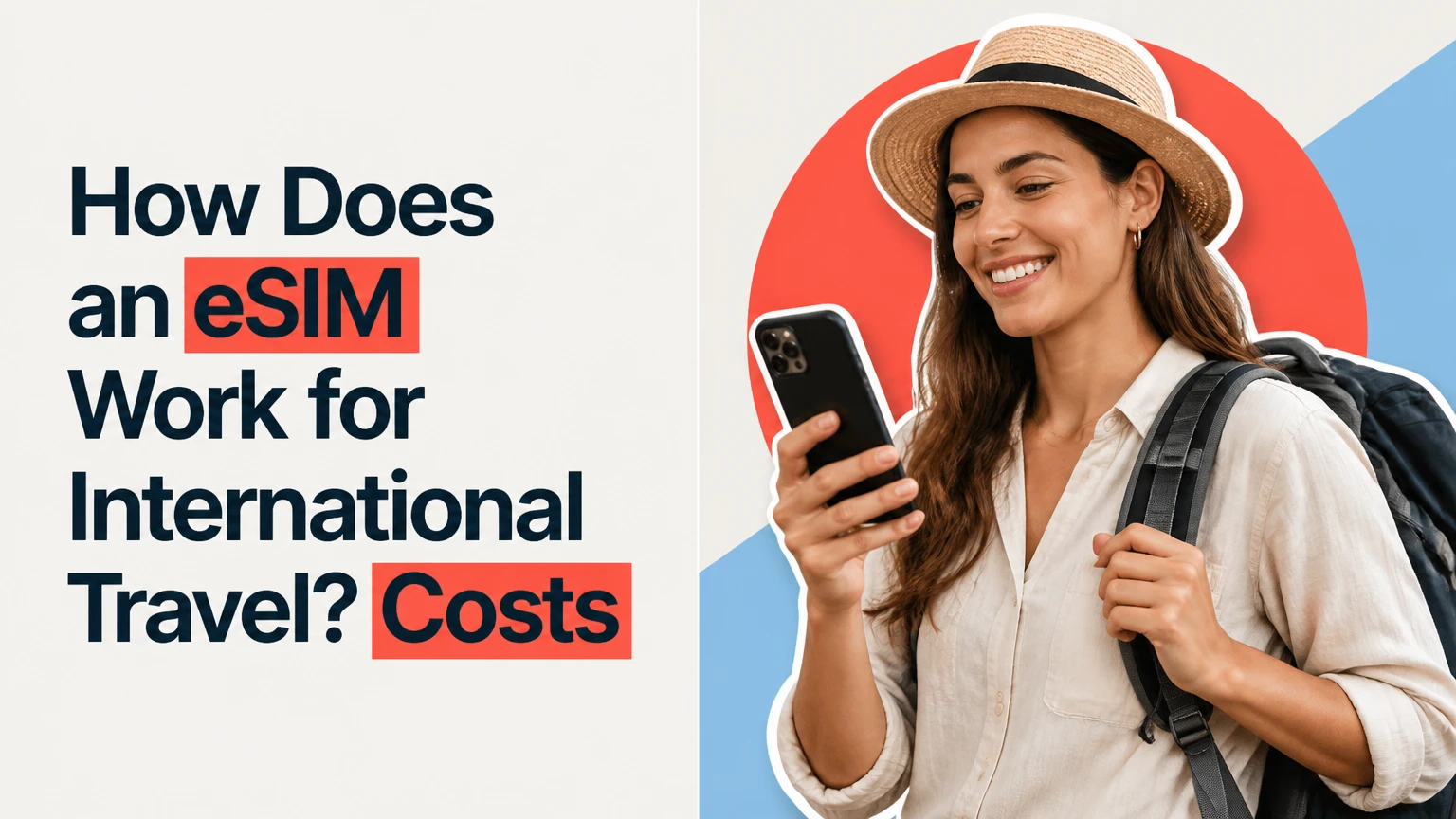
An eSIM is a programmable digital SIM built into a compatible phone that downloads a carrier profile and authenticates your device on a foreign mobile network. For international travel, a travel eSIM usually provides data through a local partner network while your home number remains available for calls or texts, without swapping plastic SIM cards.
Key Facts / Quick Answer
A travel eSIM downloads a carrier profile to an embedded eUICC chip, then uses that profile to authenticate with a supported overseas network.
Your phone must support eSIM and be carrier-unlocked. An eSIM-capable but locked phone may reject every foreign plan.
Most tourist plans are data-only, typically costing about $1.50-$7 per GB or $5-$15 for a short weekly package.
Install the profile on home Wi-Fi 1-2 days before departure, but activate the travel line and data setting when you arrive.
Keep your home SIM for SMS-based two-factor authentication, while disabling its data roaming and automatic data switching.
Coverage, speed, hotspot access, validity timing, and refunds depend on the provider and its local carrier partners.
How Does an eSIM Work for International Travel?
A travel eSIM works by securely downloading a mobile operator’s subscription profile into the phone’s eUICC, or embedded Universal Integrated Circuit Card. When the travel line is enabled, the phone uses the profile’s credentials to register with an approved partner network, so mobile data flows through that network rather than your home carrier’s roaming service.
The eUICC is hardware installed in the phone, while the eSIM profile is software stored on it. Remote SIM provisioning standards from the GSMA define how profiles are securely delivered, installed, enabled, disabled, and removed. The profile can include network identifiers, authentication credentials, encryption material, and operator settings.


Apple Support defines an eSIM as “a digital SIM that allows you to activate a cellular plan from your carrier without having to use a physical nano-SIM.” The practical difference for a traveler is logistical: the plan can be purchased online and installed before the flight, but local coverage still depends on the provider’s agreements with networks in the destination.
The five-stage connection process
| Stage | What happens | Typical timing | Traveler action |
|---|---|---|---|
| Compatibility | Phone checks eSIM hardware and carrier status | 1-2 minutes | Verify model and unlocked status |
| Purchase | Provider assigns a plan and profile | 2-10 minutes | Confirm countries, data, validity |
| Installation | QR code or app downloads the profile | 3-10 minutes | Use stable Wi-Fi |
| Activation | Line becomes available for cellular service | 1-5 minutes | Follow provider timer rules |
| Registration | Device selects an approved local network | 30 seconds-10 minutes | Enable travel data after landing |
Installation and activation are different events. Installation places the profile on the device; activation makes the plan usable, and some providers start the validity period at installation while others start it at first connection abroad. The provider’s terms control the timer, so the claim that every plan begins only after landing is unreliable.
What Must a Phone Support?
A phone needs three separate capabilities: eSIM hardware, compatible software, and an unlocked cellular status. A recent iPhone, Google Pixel, or Samsung Galaxy may meet the first two conditions, but a carrier lock can still prevent a foreign profile from operating.
Check the phone’s settings rather than relying on a model name alone. On an iPhone, open Settings > General > About and look for Carrier Lock, which should say No SIM restrictions; available EID information also indicates eSIM hardware. On many Android phones, open Settings > Network & internet or Connections > SIM manager and look for an option to add an eSIM.
Compatibility checklist
- Confirm the exact regional model, because some market variants omit eSIM functionality.
- Check that the phone supports the destination’s network bands, especially for rural coverage.
- Ask the financing carrier to remove a network lock before buying a plan.
- Confirm that the operating system is current enough to support the provider’s installation method.
- Check whether the provider permits hotspot use, SMS, voice calls, or only mobile data.
- Record the phone’s EID and IMEI before travel, but share them only with a legitimate carrier or provider.
A phone purchased through an installment plan can remain locked even when the account is paid on time. Carrier unlocking policies vary by country, contract, and payment status. A provider cannot bypass that lock through a QR code.
Which Travel eSIM Plan Type Fits the Trip?
A country plan covers one destination, a regional plan covers several countries under one package, and a global plan combines many regions for convenience. Data-only plans are most common, while voice-enabled plans add a telephone number or calling allowance at a higher price.
| Plan type | Typical coverage | Typical price pattern | Best fit | Main limitation |
|---|---|---|---|---|
| Country-specific | Japan, Thailand, France | $1.50-$7 per GB | One-country trip | Stops at a border |
| Regional | Europe, Southeast Asia, Latin America | $5-$30 per package | Multi-country itinerary | Some territories excluded |
| Global | 80-140 countries | $10-$100 per package | Frequent international travel | Higher cost per GB |
| Data-only | One or more listed countries | $1.50-$7 per GB | Maps, messaging, browsing | No native phone number |
| Voice and data | Selected countries | $10-$60 per package | Local calls and SMS | Fewer destinations and more rules |
Country-specific plans often have the simplest network arrangement and can be economical for a long stay in one destination. Regional plans reduce the risk of buying a new profile at each border, but their advertised country count may include territories with different speed, network, or fair-use conditions.
Global plans prioritize convenience over price. A traveler visiting two countries may pay more for a global package than for a regional plan because the unused coverage is built into the product.
Data-only versus phone-number service
A data-only eSIM can support WhatsApp, Signal, FaceTime, Google Maps, email, and internet calling. It normally cannot receive ordinary cellular SMS or calls on its own because the plan has no telephone number, although your home SIM can continue handling those services if your phone supports dual SIM.
Voice and SMS availability needs careful checking. Some plans provide a number only for outgoing calls, some require a separate app, and some restrict emergency calling. A data plan is not automatically a substitute for a local SIM with full telecommunications service.
How Much Does International eSIM Data Cost?
International eSIM pricing commonly falls between $1.50 and $7 per GB for regional or country data, while short packages often cost $5-$15 per week. Unlimited plans can cost more, and “unlimited” frequently means a daily high-speed allowance followed by reduced speed under a fair-use policy.
| Package example | Typical allowance | Typical validity | Approximate price | Suitable use |
|---|---|---|---|---|
| Emergency | 1 GB | 1-7 days | $2-$8 | Directions and messages |
| Short city break | 3 GB | 7-15 days | $5-$18 | Light browsing and maps |
| Standard holiday | 5-10 GB | 15-30 days | $10-$35 | Social apps and navigation |
| Heavy traveler | 20 GB | 30 days | $25-$70 | Frequent uploads and hotspot |
| Unlimited marketed plan | Daily fair-use limit varies | 5-30 days | $20-$100 | High-volume use with speed rules |
The cheapest price per gigabyte is not always the lowest trip cost. A 20 GB plan is wasteful for a four-day traveler who uses 500 MB daily, while a 3 GB plan can become expensive if repeated top-ups carry activation fees.
Validity may be measured in calendar days, 24-hour periods, or days after first network connection. A plan bought on June 1 could expire on June 8 under a seven-calendar-day rule, even if the traveler used little data. Read whether the timer starts at purchase, installation, activation, or first supported-network connection.
How Much Data Does a Traveler Need?
A casual traveler typically uses 500 MB-1 GB per day for navigation, messaging, email, browsing, and moderate social media. Video calls, cloud backups, automatic photo uploads, and streaming can raise consumption to 2-3 GB per day or more.
| Activity | Typical data use | 7-day estimate | Control that reduces use |
|---|---|---|---|
| Turn-by-turn maps | 5-20 MB per hour | 35-140 MB | Download offline maps |
| Messaging and email | 10-50 MB per day | 70-350 MB | Disable media auto-download |
| Social browsing | 100-300 MB per hour | 0.7-2.1 GB | Enable data-saving mode |
| Video call | 300-800 MB per hour | 2.1-5.6 GB | Use audio or lower resolution |
| HD streaming | 1-3 GB per hour | 7-21 GB | Download content on Wi-Fi |
The most overlooked drain is background synchronization. iCloud Photos, Google Photos, podcast downloads, app updates, and video autoplay can consume a small plan before the traveler notices.
Set a phone-level data warning below the plan limit, such as 4 GB for a 5 GB package. Download maps, translation packs, boarding passes, and entertainment on home Wi-Fi before departure.
How Do You Install and Activate a Travel eSIM?
Install the profile before departure on reliable Wi-Fi, then configure the travel line so it becomes the exclusive mobile-data source at the destination. Keep the QR code, activation details, and provider support channel available offline because troubleshooting may begin before the phone has service.
- Check the plan terms. Confirm destination countries, supported networks, validity trigger, speed policy, hotspot rules, and top-up options.
- Buy from a legitimate provider. Save the order number, QR code, manual activation code, and support contact as screenshots or a PDF.
- Install the profile. On iPhone, use Settings > Cellular > Add eSIM; on compatible Android phones, use SIM manager > Add eSIM, although labels vary by manufacturer.
- Label each line. Name the home line “Home” and the downloaded line “Travel” to prevent an accidental selection.
- Choose cellular data. Set Travel as the mobile-data line and disable automatic data switching.
- Protect the home line. Turn off data roaming for Home. Leave the line enabled only if you need incoming SMS or calls.
- Land and connect. Enable Travel, turn on data roaming for Travel only when the provider requires it, and wait several minutes for registration.
- Test before leaving the terminal. Open a webpage, check the assigned network, and verify that the home line is not handling data.
Some providers use an app instead of a QR code. App installation still requires the same checks because the app may download a profile immediately and may start validity at that point.
Recommended dual-SIM settings
The safest general arrangement is Home enabled for identity texts, Travel enabled for data, Home data roaming disabled, and automatic data switching disabled. The exact menu differs between iOS and Android, so verify the active data line after every operating-system update.
Receiving an SMS can be free, but roaming charges may apply to answered calls, outgoing texts, voicemail retrieval, or cellular data. Ask the home carrier for its international billing rules before relying on the number for two-factor authentication.
Expert insight: Travelers often disable the home line entirely to avoid charges, then discover that a bank sends a one-time code only by SMS. Keeping Home enabled with data roaming off usually preserves incoming texts while preventing background internet use, but it does not guarantee that every carrier treats all SMS events as free.
Travel eSIM Versus Roaming, Local SIM, and Pocket Wi-Fi
A travel eSIM usually offers the best balance for a solo traveler who wants affordable data and wants to retain the home number. International roaming is simpler, a local physical SIM can be better for long stays and local calling, and pocket Wi-Fi can suit groups that share several devices.
| Option | Typical cost | Setup time | Keeps home number | Main operational trade-off |
|---|---|---|---|---|
| Travel eSIM | $1.50-$7 per GB | 5-15 minutes | Yes, with dual SIM | Provider and phone compatibility |
| Carrier roaming | $10-$15 per day typical | Under 1 minute | Yes | High daily cost |
| Local physical SIM | $5-$30 plus local package | 15-60 minutes | Usually not active | Plastic swap and identity checks |
| Pocket Wi-Fi | $5-$12 per rental day | 5-15 minutes | Yes | Extra battery and shared device |
Roaming may be sensible for a one-day emergency or a business trip where setup risk costs more than the fee. A local SIM becomes more attractive for a month-long stay, a local phone number, extensive voice calling, or a destination where tourist eSIMs use slower partner access.
Pocket Wi-Fi shares one connection among phones and laptops, but the router must remain charged and physically nearby. It also creates a single point of failure for a group: if the router battery dies, every connected traveler loses service.
What Happens If the eSIM Does Not Connect?
A failed connection usually results from an incorrect data-line selection, disabled roaming on the travel line, unsupported network selection, incomplete installation, or a carrier lock. Troubleshoot settings first, then confirm the provider’s network list before deleting the profile.
| Symptom | Likely cause | Safe action | Avoid |
|---|---|---|---|
| No signal after landing | Travel line disabled | Enable Travel and restart | Deleting the profile |
| Signal but no internet | Wrong data line or APN | Select Travel data and review APN | Reinstalling repeatedly |
| “No service” | Unsupported partner network | Try manual network selection | Assuming the plan is broken |
| Data stops early | Allowance or fair-use limit reached | Check app and buy top-up | Turning on Home roaming |
| QR code rejected | Already used or expired code | Contact provider support | Sharing the code publicly |
First confirm that Airplane Mode is off, Travel is active, and the phone displays the expected network. Restart the device, then try manual network selection if automatic registration fails. Some plans require data roaming on the travel line because the provider routes service through a foreign partner.
Do not delete a malfunctioning profile as a first response. A QR code may be single-use, and removing the profile can make recovery dependent on provider support or a replacement profile. Capture screenshots of the error, ICCID, order number, and network before contacting support.
Expert insight: The “data roaming” switch has a line-specific meaning on dual-SIM phones. Turning it off for the travel line can block a perfectly valid roaming-based travel product, while leaving it on for the home line can create charges. Always inspect the selected line before changing the switch.
Special Situations That Change the Decision
Travel eSIM performance depends on more than the destination country. Cruises, border crossings, hotspot work, remote regions, and regulated destinations can change the plan’s value or prevent registration altogether.
Cruises and offshore travel
A terrestrial travel eSIM normally cannot connect to a ship’s maritime cellular network. At sea, the phone may see a satellite-backed ship network with separate, expensive charges, so keep cellular data disabled unless the cruise operator and home carrier publish the rate.
Border crossings
A country plan can stop at the border even when the phone retains signal. A regional plan is safer for road trips through several countries, but confirm that every territory and island on the itinerary appears in the provider’s coverage list.
Hotspot and laptop work
Many data plans permit tethering, but some block it or apply a separate fair-use limit. A laptop can consume hundreds of megabytes through operating-system updates and cloud synchronization in minutes, so set the computer connection as metered before using a phone hotspot.
Remote areas and 5G
An eSIM does not create coverage where the partner carrier has no tower. A plan advertised as 5G may deliver 4G LTE because of congestion, device-band compatibility, local spectrum, or the provider’s wholesale agreement. For rural travel, compare the named underlying carrier and its coverage map rather than relying on the eSIM brand’s country count.
Identity verification and regulated markets
Some countries require passport registration for any mobile subscription, including an eSIM. Providers may request identity documents before activation, and a data-only tourist product may have different requirements from a locally registered phone-number plan.
Privacy, Security, and Account Recovery
A travel eSIM does not make internet activity anonymous. The local network and eSIM provider can still process connection metadata, while websites and apps identify users through accounts, cookies, and device information.
Use HTTPS services, install operating-system updates before departure, and avoid entering payment details on unknown airport Wi-Fi portals. An eSIM profile is protected by the phone’s security hardware and carrier authentication, but a stolen unlocked phone can still expose active accounts.
Save offline copies of the QR code and support details, but protect them like account credentials. A QR code that contains activation information should not be posted in travel forums or sent through an unencrypted public channel.
Frequently Asked Questions About how does an eSIM work for international travel
Can I use my regular phone number with a travel eSIM?
Yes, a compatible dual-SIM phone can keep the home SIM active for its number while assigning mobile data to the travel eSIM. Disable home data roaming and automatic data switching. Incoming SMS may be free, but answered calls, outgoing messages, voicemail, and carrier-specific roaming rules can create charges.
Does a travel eSIM work without Wi-Fi after I land?
A properly installed eSIM can connect to cellular service without Wi-Fi after arrival. Wi-Fi is normally needed to download the profile, so install it before departure. If installation must occur at the airport, use trusted airport Wi-Fi or another secure connection and keep the activation code available.
Can I make phone calls with a data-only eSIM?
A data-only eSIM does not usually include a conventional phone number or cellular voice service. You can make calls through WhatsApp, FaceTime Audio, Signal, Skype, or another internet service. For local businesses, taxis, and government offices that require ordinary calls, choose a voice-enabled plan or local SIM.
Can I share a travel eSIM connection with a laptop?
You can share the connection when the provider and phone support tethering. Check the plan’s hotspot policy first, then mark the laptop connection as metered and disable cloud backups, software updates, and streaming. Hotspot use can consume 1 GB or more quickly during video meetings or large file transfers.
What happens when my eSIM data runs out?
The connection may stop, slow under a fair-use policy, or require a paid top-up, depending on the provider. The eSIM profile usually remains installed, so adding data does not normally require a new QR code. Do not switch Home data roaming on unless you have confirmed its price.
Should I buy a country or regional eSIM for Europe?
Choose a regional Europe plan when the itinerary crosses multiple included countries and the price is lower than separate packages. Choose a country plan when you remain in one destination or need a specific local network. Verify territories, Switzerland and other non-EU coverage, validity, and hotspot restrictions before purchase.
Final Recommendation
A travel eSIM is a practical international data option when the phone is unlocked, the destination is covered, and the traveler can manage two cellular lines. Install the profile on Wi-Fi 1-2 days before departure, confirm when validity begins, set Travel as the only data line, and disable Home data roaming.
The best answer to how does an eSIM work for international travel is therefore operational as well as technical: a downloaded secure profile authenticates your phone on a partner network, while your settings determine which line actually incurs data charges. Compare the network, timer, fair-use policy, hotspot rules, and support process, not only the advertised gigabytes.